Proactive Managed IT Services for Business Growth
Managed IT Services, Cybersecurity, Business Continuity
Proactive Managed IT Services in Virginia: Prevent Downtime, Improve Security, and Support Growth
Imagine walking into the office and never having to ask, “Why is the internet slow?” or “Did our backup run?” As a senior network engineer and IT Manager who’s spent years watching businesses wrestle with avoidable IT issues, I can tell you: the difference between constant firefighting and calm, predictable operations usually comes down to one thing—whether your IT is reactive or proactive. In this post, I’ll break down how proactive Managed IT Services, like those we deliver at TCI, keep your systems healthy, secure, and aligned with your growth plans.
Why Reactive IT Support Is Costing Your Business Time, Money, and Productivity
Most businesses start with reactive IT: you call your “IT person” when something breaks. From the outside, it feels cheaper—no monthly fee, no ongoing engagement, just pay when there’s a problem. But as someone who’s been on the other side of those emergency calls, I’ve seen how expensive this model really is once you factor in hidden costs:
Downtime: Every hour your team can’t access systems, you’re losing revenue, productivity, and customer trust.
Context switching: Your staff stops serving customers to troubleshoot Wi‑Fi, printers, or email issues they’re not trained to fix.
Inconsistent fixes: Quick patches solve today’s problem but often introduce tomorrow’s outage.
From a developer’s perspective, reactive IT is like deploying code straight to production and only touching it when something crashes. You might save time upfront, but you pay it back—with interest—when failures happen at the worst possible moment. Proactive Managed IT Services flip this model: instead of waiting for things to break, your systems are monitored, maintained, and improved continuously so issues are caught early, or never happen at all.
💡 Quick reality check: If you only hear from IT when something is already broken, you’re almost certainly leaving money, time, and security on the table.
How Proactive Network Monitoring and IT Management Prevent Downtime
Proactive Managed IT Services rely on continuous monitoring—of servers, workstations, networks, backups, and security events. Think of it as health monitoring for your technology stack. Instead of waiting for a server to crash, we watch for early warning signs: disk space creeping up, memory usage spiking, backup jobs failing, login attempts looking suspicious.
Under the hood, tools collect metrics and logs, then trigger alerts when something looks off. As engineers, we often wire this into simple automation. For example, here’s a Python-style pseudo‑script that checks backup logs and raises an alert if last night’s job failed:
import datetime
import smtplib
from pathlib import Path

LOG_PATH = Path("/var/log/backup/backup.log")
ALERT_EMAIL = "[email protected]"

def backup_succeeded(log_path: Path) -> bool:
    if not log_path.exists():
        return False

    lines = log_path.read_text().splitlines()
    # Look at the last non-empty line
    for line in reversed(lines):
        if line.strip():
            return "STATUS=SUCCESS" in line
    return False

def send_alert(subject: str, body: str) -> None:
    with smtplib.SMTP("smtp.yourcompany.com") as smtp:
        message = f"Subject: {subject}\n\n{body}"
        smtp.sendmail("[email protected]", ALERT_EMAIL, message)

if __name__ == "__main__":
    today = datetime.date.today().isoformat()
    if not backup_succeeded(LOG_PATH):
        send_alert(
            subject=f"[ALERT] Backup failed on {today}",
            body="Last night's backup did not complete successfully. Please investigate."
        )
Managed IT platforms do this at scale and with far more sophistication, but the principle is the same: detect anomalies early, respond before users feel the pain. Instead of your team discovering a problem at 9:00 a.m. when everyone logs in, your provider sees the warning at 2:00 a.m., fixes it, and you start the day without even knowing there was a risk.
💡 Pro Tip: Ask your IT provider what they monitor 24/7—servers, endpoints, backups, firewalls, cloud apps—and how they respond when thresholds are breached.
Cybersecurity, Disaster Recovery, and Business Continuity: Why You Need All Three
From a software engineer’s standpoint, cybersecurity is no longer optional background noise—it’s a core business risk. Phishing emails, ransomware, and credential theft are all engineered to exploit the weakest link in your environment. Proactive Managed IT Services approach this on multiple layers:
Endpoint protection that goes beyond basic antivirus, with behavior-based detection and automatic isolation of suspicious devices.
Next-generation firewalls that inspect traffic deeply, apply zero-trust principles, and integrate with threat intelligence feeds to block attacks before they land.
Managed Detection and Response (MDR) services that combine 24/7 monitoring with expert analysis to contain threats in real time, not days later.
Email security and filtering to catch spoofed senders and malicious links before they hit employee inboxes.
Zero-trust access controls that verify users, devices, and context on every request instead of assuming anything inside the network is safe.
Security awareness training so your team can spot phishing, social engineering, and risky behavior before it leads to a breach.
Patch and update management so known vulnerabilities are closed quickly, not months later.
Business continuity is the flip side of that coin. It’s not just “Do we have backups?” but “How fast can we restore, and what’s our plan if our main office or cloud provider goes down?” Proactive providers design recovery objectives with you: how much data can you afford to lose (RPO) and how long can you afford to be offline (RTO).
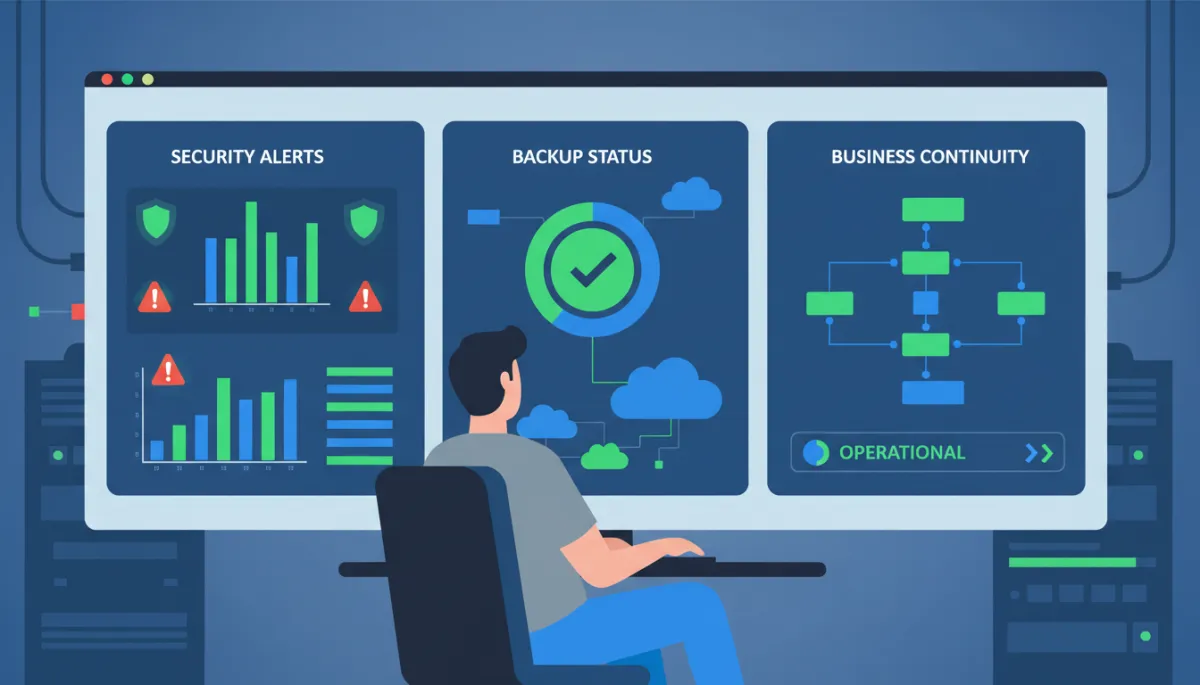
Integrated monitoring ties security, backups, and continuity into one clear operational picture.
For example, we might configure automated, encrypted backups to both local storage and the cloud, test restores quarterly, and document exactly who does what during an incident. From a code perspective, this is like having version control, automated tests, and deployment rollbacks—so even if something goes wrong, you can recover cleanly and confidently.
📌 Key Takeaway: Cybersecurity without a tested recovery plan is like a seatbelt without airbags. You need both to protect the business.
Strategic IT Planning: Aligning Technology With Business Growth
One of the most underrated benefits of proactive Managed IT Services is strategic planning. Instead of treating IT as a series of surprise expenses—“The server died, we need new laptops, our line-of-business app is out of support”—you get a roadmap that aligns technology with where you want the business to go over the next 12–36 months.
As engineers, we think in terms of lifecycles and capacity planning. A good managed services partner brings that thinking to your entire environment: when hardware should be refreshed, which systems should move to the cloud, how to standardize devices, and where to invest in automation. This turns IT from a cost center into an enabler of growth.
A managed services partner like TCI takes this kind of analysis, combines it with your growth plans—new locations, more staff, new applications—and helps you build an IT roadmap. The result is fewer surprises, smoother projects, and a clear understanding of how technology spend supports revenue and operations.
💡 Strategic Tip: Review your IT roadmap at least annually. Treat it like a product roadmap: prioritize, budget, and adjust based on real-world feedback.
What Proactive Managed IT Services Look Like in Everyday Operations
When proactive Managed IT Services are working well, your day is quiet—in the best possible way. Here’s how that typically feels from the inside:
Your team logs in each morning without wondering if the internet, VPN, or core apps will cooperate.
Updates happen on a schedule, after hours, and are tested—no surprise reboots in the middle of a client call.
Suspicious emails are flagged or quarantined before your staff has to guess, “Is this legitimate?”
You receive regular reports showing system health, security posture, and progress against your IT roadmap.
From the perspective of a developer, it’s the difference between debugging production at 3:00 a.m. and watching automated tests pass in your CI pipeline. Problems still exist in the world—but they’re handled early, in a controlled way, with data and process instead of panic.
Bringing It All TogetherWhy Businesses Are Switching to Proactive Managed IT Services
Reactive IT feels cheaper until you add up the lost hours, missed opportunities, and security risks. Proactive Managed IT Services replace that uncertainty with monitoring, maintenance, cybersecurity, and strategic planning—all working quietly in the background so your team can focus on customers instead of troubleshooting.
When your technology “just works,” you stop asking: “Why is the internet slow?” “Did our backup run?” “Is this email legitimate?” “Should we install this update?” Instead, you start asking better questions: “How can we serve more customers?” “What can we automate?” “Where should we grow next?”
That’s the real promise of proactive Managed IT Services—and why I’d choose that model for any business that relies on technology to operate. If you’re ready to move from firefighting to forward planning, partnering with a provider like TCI can give you the visibility, stability, and confidence you’ve been missing.
