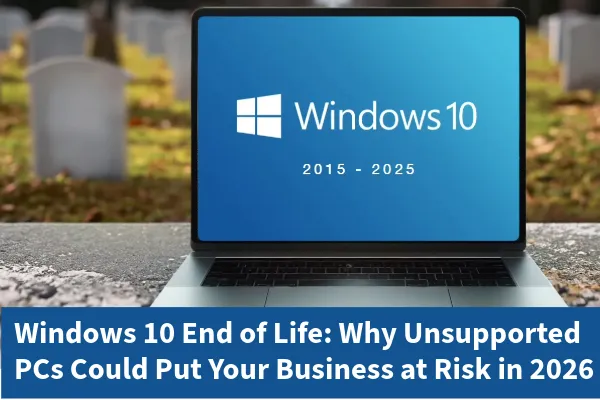
Windows 10 End of Life: Why Unsupported PCs Could Put Your Business at Risk in 2026
Windows 10 End of Life: What It Means for Your Business
On October 14, 2025, Microsoft officially ended support for Windows 10, one of the most widely used operating systems worldwide.
This means:
No more security updates
No more patches
No more technical support
For businesses still running Windows 10, this creates serious risks: cybersecurity vulnerabilities, compliance violations, and system instability. And while the date has been public for years, many organizations have delayed upgrading often due to budget constraints, old hardware, or lack of planning.
Why Unsupported Windows 10 Systems Are a Risk this Holiday Season
As we enter the holiday season and prepare for 2026, organizations running Windows 10 face:
Increased cybersecurity threats
Higher compliance risks
Potential network-wide failures
Cybercriminals actively target End-of-Life (EOL) systems because they know vulnerabilities will never be patched. Likewise, the holiday season is a peak time for cybercrime as attackers know IT teams are short-staffed, employees are distracted, and businesses are focused on year-end goals.
Top Risks of Staying on Windows 10
1.Cybersecurity Exposure
Unsupported systems are prime targets for ransomware, phishing, and credential theft. Once inside, attackers can move laterally across your network even if other devices are secure.
2. Compliance Violations
Industries like healthcare, finance, education, and government face strict regulations. Running unsupported systems can violate:
Insurance providers increasingly deny claims if outdated systems contributed to a breach.
3. Software Incompatibility
By mid-2026, many vendors will stop supporting Windows 10. This means:
App crashes
Compatibility errors
Forced upgrades under pressure
Critical tools like accounting software, CRM platforms, and property management systems will eventually fail.
4. Hardware Instability
Drivers and firmware updates will stop. Printers, scanners, and peripherals may become unreliable, slowing productivity and increasing downtime.
5. Network-Wide Vulnerability
One outdated device can compromise your entire infrastructure. Attackers often exploit the weakest link to gain access to sensitive data.
Why Businesses Delay and Why You Shouldn’t
Common reasons for delaying upgrades:
Budget constraints
Old hardware
Lack of planning
But waiting increases costs and downtime. Emergency upgrades are always more expensive than proactive planning. Plus, the longer you wait, the harder it becomes to find compatible hardware and software.
How TCI Simplifies Windows 10 Upgrades
Our proven process includes:
System Assessment: Identify upgrade-ready devices and risks.
Hardware Recommendations: Budget-friendly refresh plans.
Migration Planning: Minimize downtime.
Data Backup & Protection: Secure and recoverable.
Deployment & Testing: Fully configured and secure.
Ongoing Support: Continuous monitoring and maintenance.
Don’t Start 2026 with Unsupported Systems
Windows 10 EOL is a major cybersecurity risk. Delaying upgrades can lead to:
Costly emergency fixes
Compliance penalties
Business downtime
Give your business the gift of security and stability this holiday season.
Schedule your Windows 11 upgrade with TCI Now!
FAQs
Q: What happens if I don’t upgrade from Windows 10?
Your systems will be vulnerable to cyberattacks, compliance violations, and software failures. Unsupported devices can also compromise your entire network.
Q: Can I still use Windows 10 after End of Life?
Yes, but it’s risky. Without security updates, every new vulnerability remains unpatched forever.
Q: How do I upgrade to Windows 11?
TCI offers full migration services, including hardware assessments, data backup, and deployment planning.
Q: Is upgrading expensive?
Proactive upgrades cost far less than emergency fixes after a breach or system failure.
